
Clippo
Clipboard history for the Mac. Small, free, open source.
I used CleanClip for years until a macOS update broke it. Everything else I tried was either a subscription or a Swiss army knife. Clippo keeps what you copy, lets you paste it back with a couple of keys, and stays out of the way the rest of the time.

Things to copy
- Invoice #2048 is due on Friday
- 221B Baker Street, London NW1 6XE
- git commit -m "fix login redirect"
- Thanks, got it! I'll reply tomorrow.
- #c8232f
- Meeting moved to 3:30, same link
Your document
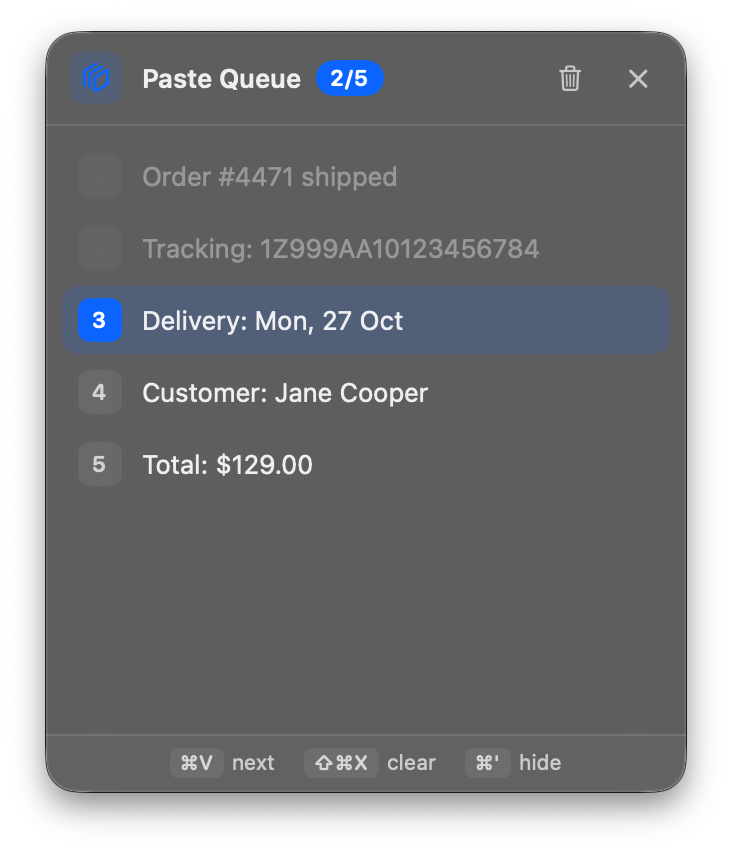
Turn on the paste queue, copy a few lines, then press ⌘V here again and again.
Three shortcuts
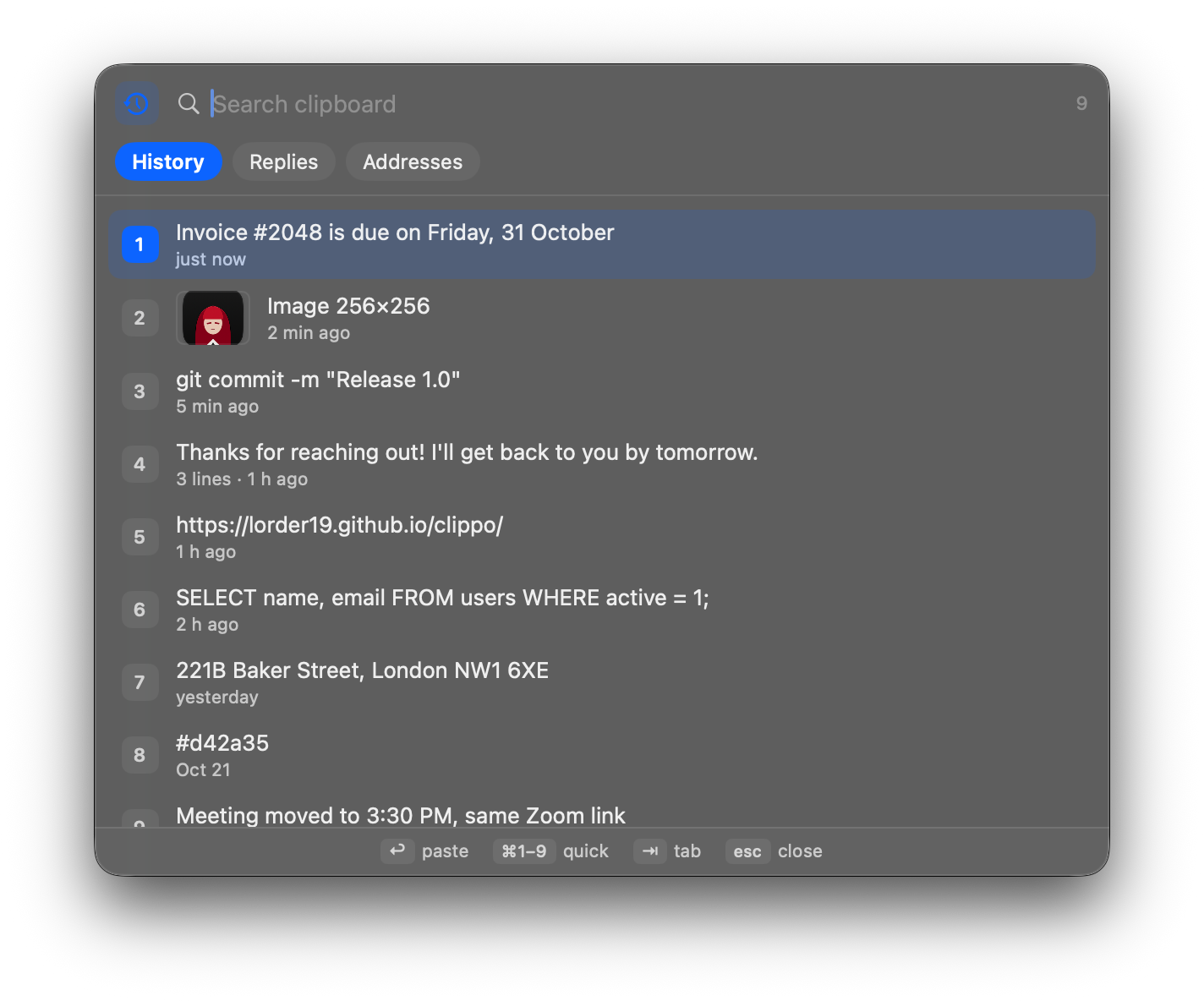
⌘; opens your history. Text and images, newest first, with search. ⌘1 to ⌘9 pastes one of the top nine without touching the mouse.
⌘I opens saved lists for things you paste a lot, like replies or addresses. A digit pastes a line.
⌘' starts the paste queue. Copy a few things, then each ⌘V pastes the next one. ⇧⌘C splits a selected column into lines, which is great for moving a spreadsheet column into a web form.
Your data stays yours
- Passwords copied from password managers (1Password, Bitwarden, Apple Passwords and others that mark them as concealed) are never saved.
- You pick apps to ignore. Keychain Access and Passwords are on the list from the start.
- History and images are encrypted on disk. Honest caveat: the key is stored next to them for your user account, so this stops a leaked file, not someone sitting at your Mac.
- Clippo's windows are marked private. macOS screenshots skip them, and they stay hidden when you share your screen in Telegram. A few recording apps ignore that flag, so check yours if it matters.
- No account, no analytics. The only network request is an update check, and it's off until you enable it.
Install
With Homebrew: brew install --cask lorder19/tap/clippo. Or by hand:
- Download Clippo.zip, unzip it and drag Clippo into Applications.
- Open it. macOS will complain about an unidentified developer because I don't pay Apple for a certificate yet. Open System Settings → Privacy & Security and click Open Anyway.
- Allow Accessibility when asked. Clippo uses it only to press ⌘V for you.
Questions
Why not just use the clipboard history in macOS Tahoe?
It's fine for finding something you copied. Clippo is built around pasting: numbered items, saved lists and the paste queue, all from the keyboard.
A shortcut sometimes does nothing
When a password field is focused, macOS turns on Secure Input and blocks global shortcuts for every app. Some password managers forget to turn it off. Switching apps, or restarting the password manager, fixes it. Clippo shows a warning in its menu when this happens.
I can't find the menu bar icon
On MacBooks with a notch, extra icons can hide behind it. The shortcuts still work, and opening Clippo again from Spotlight brings up Settings.
How do I uninstall it?
Quit Clippo, delete the app, then delete ~/Library/Application Support/Clippo.
Will it stay free?
Yes, everything you see here stays free. I might add a paid version later with extras like keeping rich text formatting, to pay for an Apple developer account.